About Me
Conceptual
Narrative 1
Documentary
Explorations
Reflections
Narrative 2
Humor
Zenith
Showcase
Personal Projects
Introduction
Our first unit here at freestyle worked on the Conceptual Unit. From music and audio editing to photography and photoshop editing, this unit allowed us to test the reigns of the materials here at Freestyle. Some of the tools I love using are Photoshop, Premiere Pro, our Digital Cameras, and the high quality recording studio we have.
In Digital Media I was a little shocked because I had so many tools at my disposal. Recording booths, digital cameras, and even a Class computer. It was a sharp learning experience but as of right now, I am starting to get a hang of the tools here. But even with the curve, everything is so fun and enjoyable to learn about.
Art Reflection
The first project we did in this unit was the Art Reflection. This reflection was based on any of the art installations we saw at the beginning of the year at SFMOMA. I was fixated on the paper mache apple made by Claes Oldenburg. It reminded me of my childhood memories in Maryland before I came here to California. The project itself was to create a one minute to a minute and a half long video of you explaining why the installation spoke to you or as our English assignment was named, how it brought awe. The video had to have the installation along with the plaque that was next to it. I described the installation through my prior knowledge of materials in art and how I could feel the sculpture without even touching it which created a bigger sense of awe within me.
The project needed us to use Premiere Pro. At first it was hard trying to understand how to use everything but thankfully the helpful videos Mr. Florendo, I was able to complete the video. However before freestyle I have used a different video editing software called Cap Cut so getting used to two different sets of keybinds was a bit tricky. While this project did give me a few challenges, my existing knowledge of video editing from Cap cut did allow me to comprehend things easier in Premiere Pro.

Writing the script was the hardest part of the whole project for me. First I had to understand how I felt about the art piece and put it down into words. But eventually I was able to get the writing down on paper and slowly work at it as the project continued. As my first project at freestyle, it was simple enough that I was able to finish it and the process of understanding all of the tricks was hard enough to give me a challenge.
Parody Production
Parody Introduction:
At first me and my partner for the project, Adri, had no idea what song to parody. However, a few days after the assignment was assigned we both got sick at the same time. We then came to the conclusion that the song parody has to be related to being sick. After this we started to think of what songs reminded us about being sick. The first one we thought of was Bruno Mars and Rosé’s APT. We had both gotten sick of hearing that song around during the summer so parodying it on the theme of being sick worked perfectly. By the time of recording the actual lyrics we were still recovering from being sick. This worked in our favor because the song was about being sick so hearing sick voices singing makes the whole process more authentic.
Artist statement:
The song was created by recording our vocals in the iso booths at freestyle. The program to capture our voices was Adobe Audition. Using Audition was a task but eventually we got the hang of it. We didn’t edit our vocals much in Audition because we wanted to sound authentically sick in our recording. We did do a few takes during our recording process because we felt as if we didn’t sound sick enough.
We choose APT as our song of parody because we found it annoying just like how we find being sick annoying. The upbeat attitude of the song also contrasts with how bad being sick actually is. At first we knew that we were going to partner up, me and Adriana, but we had a hard time figuring out what our topic of the parody would be. Then we both got sick within the same week. Then we both decided to make the parody about being sick and what it entails. We then worked on writing lyrics about being sick. We wrote things we did while being sick like watching TV shows like anime and eating lots of soup. I really found it amusing that we both were sick at the same time and technically recorded the lyrics while were were sick. The song to me just feels authentic, talking about being sick while being sick. While we both couldn’t work on the assignment for a long time due us being sick, the product of the parody in the end was great in my opinion.
In the lyrics I wrote, I was trying to shift the part about being sick as a blessing because you’re free to what ever you want. You’re able to watch TV and anime all day but in the end being sick really takes away from the viewing experience so in the lyrics end up giving up on trying to have fun and just trying to get over the sickness.I am really happy that I was able to even do this assignment at all. As stated before I got sick before we started the assignment so I was really tired during the week and I didn’t even know if ill get to school on Monday. I did end up getting here so I got to record. I did the lyrics when I was still recovering on Sunday but they ended up not sounding too bad.
Looking back I wished we covered the whole song rather than just the first half of it. I also wished I re-recorded the beginning part of my section of the song as I was rushing through the lines a bit. This project helped me understand how to use Audition for recording and for other music parodies in the future. The process of recording and producing the parody was really fun and I hope I could do it again in my time here at freestyle.
Parody Lyrics:
A medicine!
A medicine
Now you’re sick!
I am I am sick
I am I am sick
I am I am sick
Huh (cough cough)
I am I am sick
I am I am sick
I am I am sick
Redish face
Runny nose
That’s what I have uh
and I can’t really breath
(Cough cough)
Chicken soup chicken soup is all I can eat uh
And I should take my medicine (it tastes like crap)
You don’t wanna feel like this baby
An apple a day keeps the doctor away
I’ll sleep tonight but tomorrow feel the same
All you gotta know is that I am
I am I am sick
I am I am sick
I am I am sick
Huh (cough cough)
I am I am sick
I am I am sick
I am I am sick
It’s everything, It’s everything
It’s everything, that I want
Turn this bedroom into something fun (Ahem Ahem)
I could watch TV, anime, throughout the daa-ys (AHCOO)
Nevermind im just stuck in bed (GROANNNNNN)
Don’t get near me, I’m very sick todaaaaay!
Only up when I eat some souuuuup
Ask me later, but later I’ll say
All you gotta know is that I am
I am I am sick
I am I am sick
I am I am sick
Huh (cough cough)
I am I am sick
I am I am sick
I am I am sick
Huh (cough cough)


Photoshop Blend Mode Editing
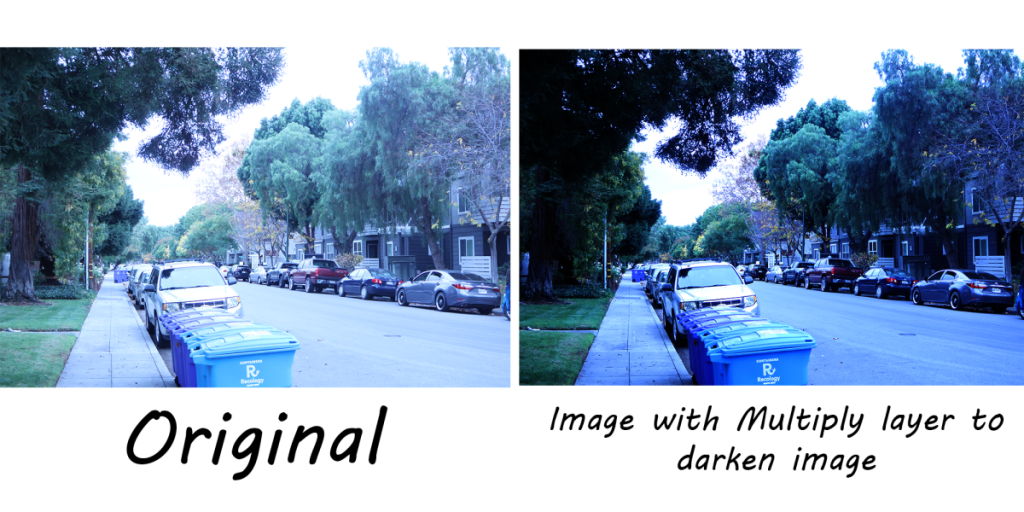
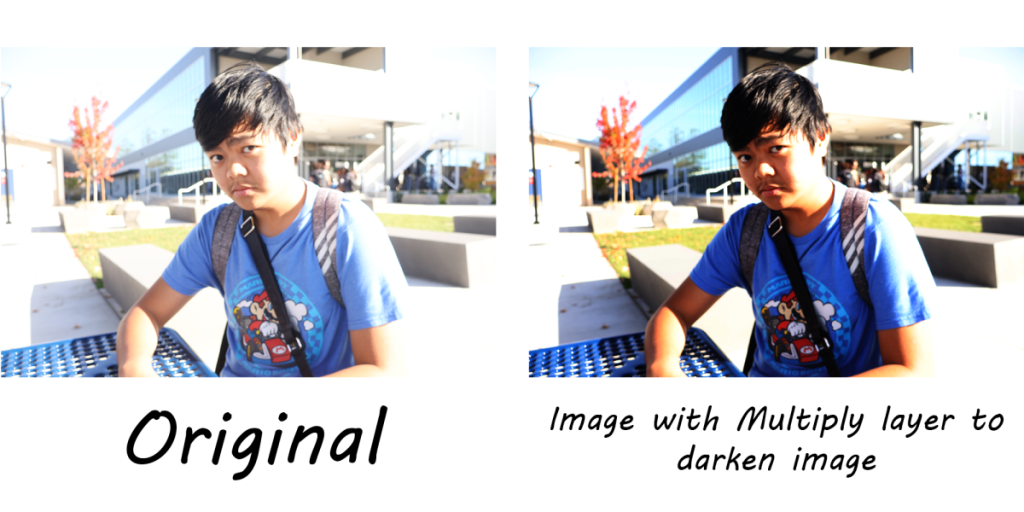
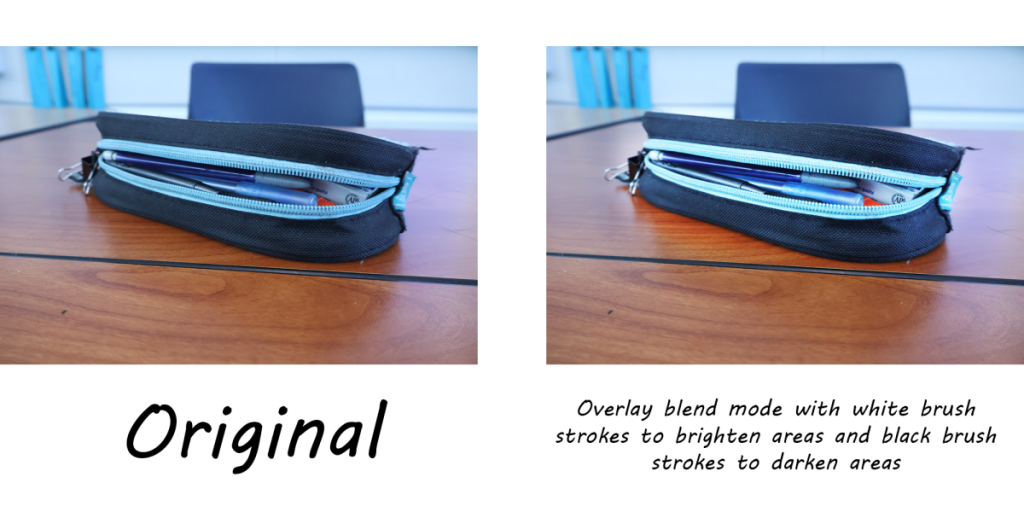
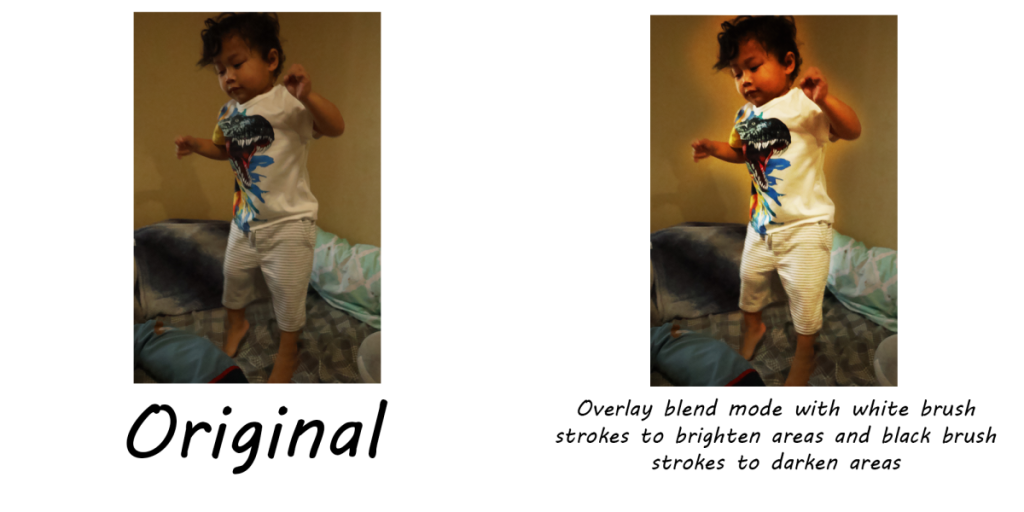
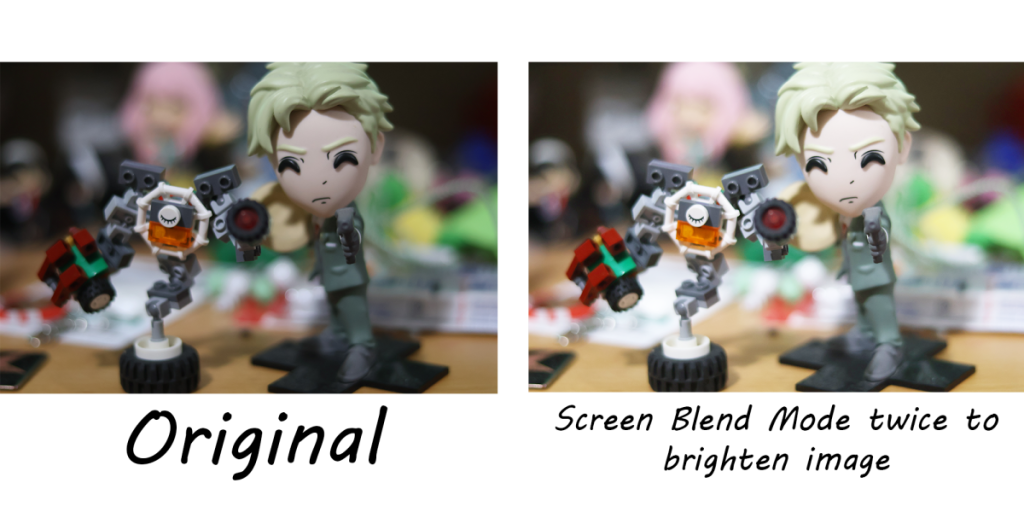
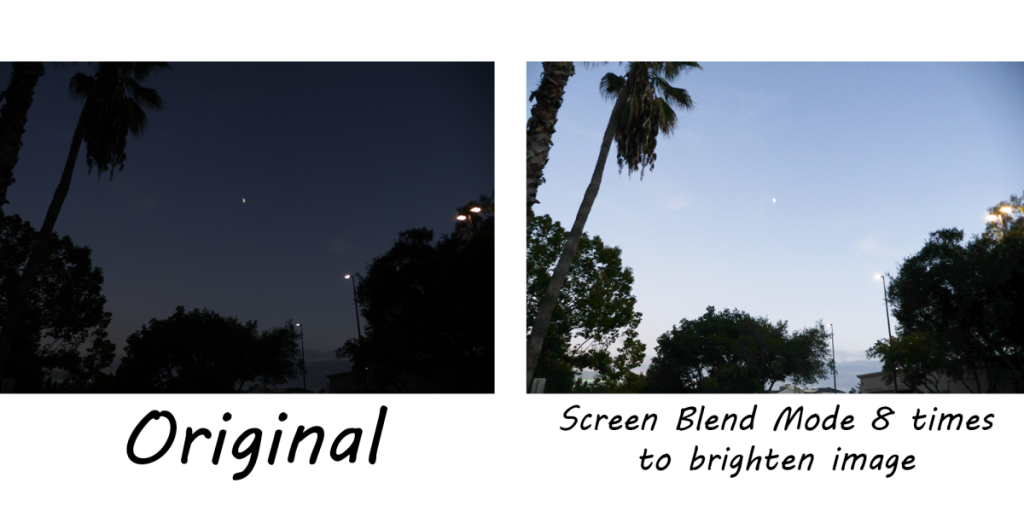
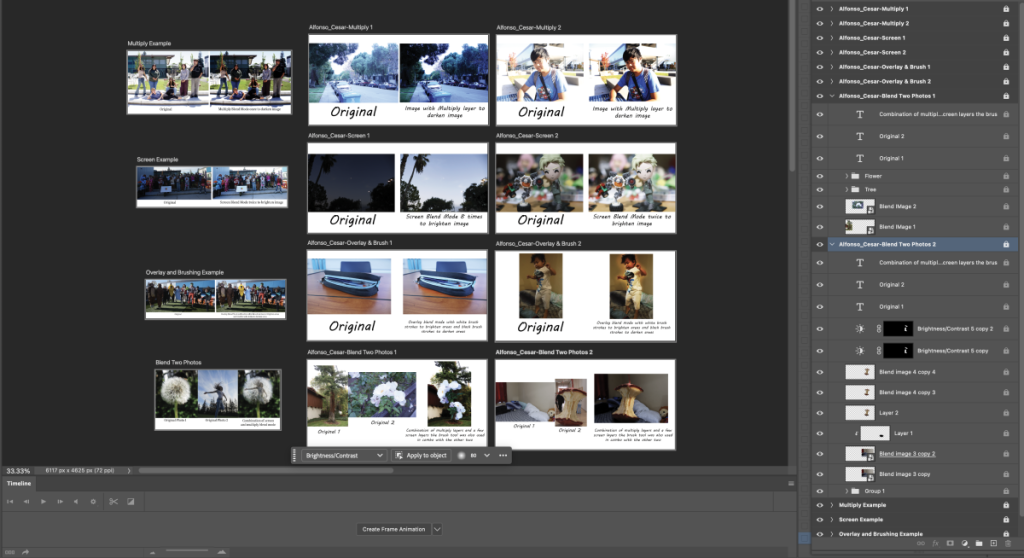
In photoshop we are able to cut, paste, and layer images together with the given tools in the software. For this project we used the darken and lighten blend modes to contrast photos taken from our DSLR cameras and cropped and created shadows in images to add things to scenes.
What do you value about learning about and creatively using Photoshop Blend Modes?
I valued that the things I learned about blending images was straight forward. The tools used in Photoshop were very similar to the ones on procreate which is a drawing software on ipad. While I understood how most of the blend tools worked, taking more time to work on each of them helped deepen my understanding.
How do you see yourself using your new Photoshop skills with your creative projects?
I will be using my new photoshop skills to fix mistakes on photos I take for my photoblogs, editing images in post for a personal project of mine, and blending images together because I really enjoyed that part of the assignment.




DSLR Practice Photos
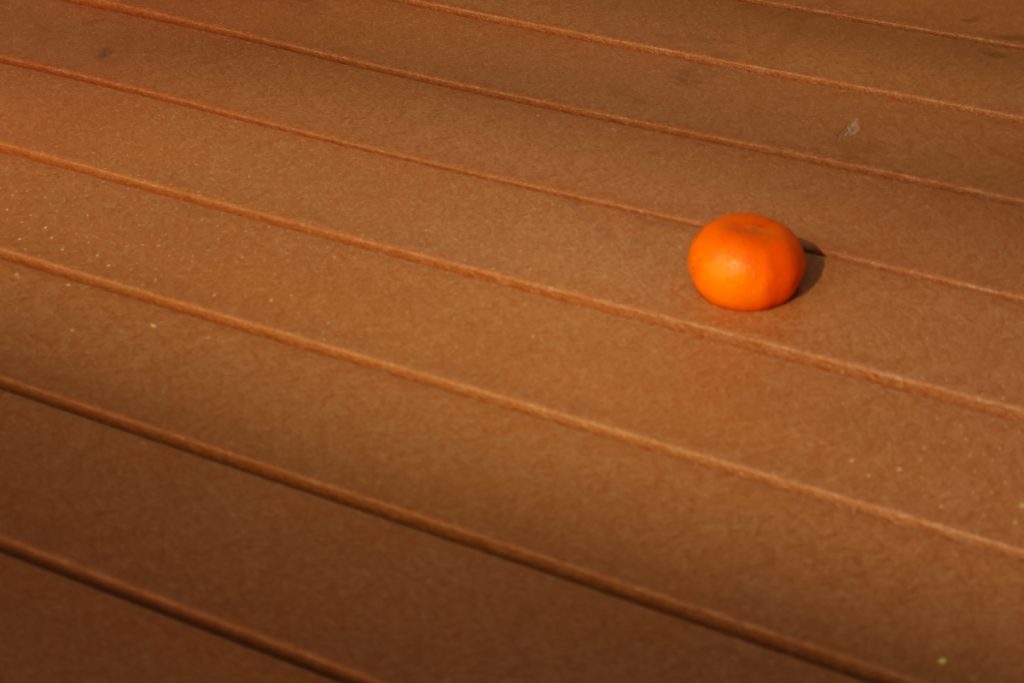
The digital camera given to us at the beginning of the year has tons of different modes for photography. The way I like thinking about these modes is that they are basically the blend tools in photoshop I have used but are “In the moment” tools if you will. Av mode focuses on the object that you choose and blurs out everything else. Tv can create those drawings with light videos on Tiktok and makes light more prominent in darker scenes. Flashes allow you to highlight your photo’s focus with a burst of light. P-mode with ISO changes allows for full control over how the photo looks. White balance can affect the overall color of the photo, making scenes feel like they were taken place at different times while not. All of these tools in our digital camera helped me take great photos as the ones shown.




Av Mode with shallow and deep depth of field
Greatly helps me with focusing a central object in a shot. Haven’t used this too much but is greatly helpful when I am.
Tv mode with long exposure night photography
I haven’t used this one since the photos we took with the light wands but creating light drawings with this mode was really fun and enjoyable.
Flash practice with portraits in front of backdrops
This day was really fun. While I was able to take great photos of my classmates and friends, I really loved posing for the camera. The flash of light was able to contrast the background similarly to the Av mode but it also can light up darker areas in the room.
P-mode with ISO changes
Both of these tools allow for the lighting in the photo to change. Unlike with the flash, it doesn’t highlight a specific portion of the photo but the entire photo. The higher each setting is, the more light passes through the lens and vice versa. This tool helped me darken scenes with too much brightness and lighten scenes that have too little light.
Altering White Balance
Greatly helps me with focusing a central object in a shot. Haven’t used this too much but is greatly helpful when I am.
Animation Class
Animation Introduction:
Prior to this class, I understood that animation takes a long time and lots of effort. With this I expected the class to be very time consuming. While this was the truth, I did not expect to have this much fun in animation. While each stroke of my pencils and colors were very time consuming, I found the process to be extremely fun and enjoyable.
Getting to know me:
My name is Cesar (Sebastian Alfonso IV) and I am 16 years old. I love drawing, writing,
and I also do some voice acting for a show I’m in. I usually just draw whatever comes to mind
but I mainly focus on drawing my Original Characters and Characters I like. For example I like
drawing Yor from Spy X Family, Springtrap from FNAF, and some plants from PVZ.
I also love playing video games like Fortnite, Cuphead, Minecraft, Roblox, and tons of
different roguelikes. Out of all of these games I mainly play Fortnite because of the game play
loop plus the movement and gun-play.
Some shows I have watched are, The cuphead show, Murder drones, Dungeon Meshi,
Spy X Family, Saiki K, and Lucky Star. Most of these shows were created by some big company
like netflix or some anime animation company. However the show murder drones was made by
a team of indie animators called Glitch Productions. They originally started out with two
brothers who did Gmod animations and stories with Mario but evolved into their own
animation studio which then produced the show Murder Drones. They still do their Mario
Gmod Videos but the production quality has improved a lot. This studio and the shows I’ve
watched have really played a big role in me going freestyle and thinking about improving my
skills with animation. I would also like to quickly mention Captain Underpants who technically
introduced me to animation. It was in the form of the “Flim-o-Rama” which was basically a
shorter form of flip books only involving two pages. Overall I’m excited to be in freestyle and
excited to be in animation.
History of Animation:
Praxinoscope Zoetrope:

The Praxinoscope Zoetrope is an old form of animation where twelve to thirteen drawings (called frames) are placed on a spinning Zoetrope that reflects the images back out to your eyes. The segmented mirrors in the Zoetrope help to sell the illusion of movement in the frames. With this process I drew a piece of cartoon toast doing a little dance.
Phenakistoscope Wheel:

This is a Phenakistoscope that I made for Animation one. I used paper for drafting and cardstock for the final draft. I used a felt pen to outline the drawings in each cell and used color pencils to color. During the preplanning of the project, I remembered a game I used to watch youtubers play. I really liked on of the characters from said game and used her as the subject of the wheel. I tried to make the body and face as close to the original as possible because of the minimal amount of space I had to work with. In the end I tried to make the character resemble the original design as loosely as possible so it would still resemble her. I did not have exact colors that matched with her original design so I used color layering with the color pencils to make the colors as close as possible. If I could change anything, I would want to change that overall layout of the drawings on the wheel.
Through this project I learned how to make a design based on a character so you would still be remind of them, I learned how to use in between frames for more fast paced movement and so I was able to finish the piece under the time constraints. I learn that humanoid figures are very hard to work with without breaking the rules of human movement. I am really proud of at least trying my best even if i did a really bad job at it.
Flip Books:
For the Analog flipbook I used the game Five Nights At Freddy’s 2 as the theme. I animated a night guard getting attacked by the animatronics from Freddy’s. I added a little cartoony spin on it. While at any point the animatronics could have attacked the night guard, they patiently waited for the night guard to get the spare mask on, the thing that scares them off. However this is useless because the night guard ends up getting attacked by the one animatronic that isn’t scared off by the mask.
Paper Cutout Stop Motion:
For this project, I had this idea of a box that had no arms that connected their hand to their body. Partially I had this idea to have an easier time to animate but I also have seen other animations with characters with limbless appendages like Rayman from Rayman. I am overall really happy with the final product