
Introduction
The explorations project is about exploring one’s own passion to improve on a 21st Century Skill. These skills include:
- Visual Literacy — Interpreting and creating 21st century media that advances one’s decision making skills.
- Technological Literacy — Interpreting and utilizing technology to do a certain 21st century-related task.
- Creativity — Creating something that is original to oneself or an organization’s previous works
- Self Direction — Planning and Managing one’s time and appropriately assess the quality of one’s work.
- High Productivity — Creating something that communicates real-world problems that advance others’ understanding of a situation.
- Team and Collaboration — Working as a collaborative team to create something.
- Social and Civic Responsibility — Managing technology and information to promote public good.
- Risk Taking — Willingly fine with making mistakes and taking on difficult problems for personal growth.
In my case, the 21st Century Skill I focused on was Creativity. I wanted to create a video that, to my knowledge, is original in Freestyle Academy.
Production Process
To explore the skill of creativity, I decided to create a music lyric effect video. I’ve actually done something similar before as a personal project, and from experience I assumed it would be relatively easy to make, which is perfect since we only get around 2 weeks for this project.
(I was incorrect in my assumption about the project being easy, but we’ll get to that later.)

For my song choice, I chose the song “Absolute Zero” by Frums. It’s an abstract electronic track with a lot of ear candy, and the message of this song is touching. I messaged Frums, and she replied back saying I could use this song in my production. Nice!
My main inspiration for this video is the Geometry Dash level Blue Sky by rply. This level has an absolutely amazing attention to song representation, which was crucial to my own project. With this in mind, I wanted to focus on three main things in my project:
- Music representation — How the visuals complement and keep in sync with the music.
- Visual effects — To put it in simple terms, the “cool” part of the video. I’ll explain this more in detail later.
- Particles — Using After Effects, I can create a particle world to match the song. I have never touched particles before, so this was the part I was the most worried about.

I started with figuring out how particles work in After Effects, and after a lot of trial and error, I came up with a simple group of particles that could work as a particle effect.
Unfortunately, this is where I discovered one of the annoying truths about particles. They are really laggy. Therefore, I had to resort to pre-rendering any particles that I made, which took around an hour.
The level has an almost ethereal feeling, and the particles worked well to emulate this due to its glowy nature. To represent the music more, I reused the background effect to work as an overlay to emphasize beats of the song. By utilizing the “Add” blend mode in After Effects, I can create bright flashes. This pattern of reusing particle assets is quite common throughout this project due to the sheer amount of time it takes to render them. However, using visual effects, I could change them up each time.
The visual effects happened to be the most fun portion of this project. I used them absolutely everywhere. The most useful ones that I utilized were Turbulent Displace, VR Digital Glitch, Glitchy Text Decoder, Mosaic, and Block Dissolve.
Through my time working on this project, I also learned the value of expressions. Expressions are small snippets of code that allows one to control keyframing in more dynamic ways. Expressions allowed me to create shaking and flashing effects without having to manually place each keyframe down, which saved a good amount of time.
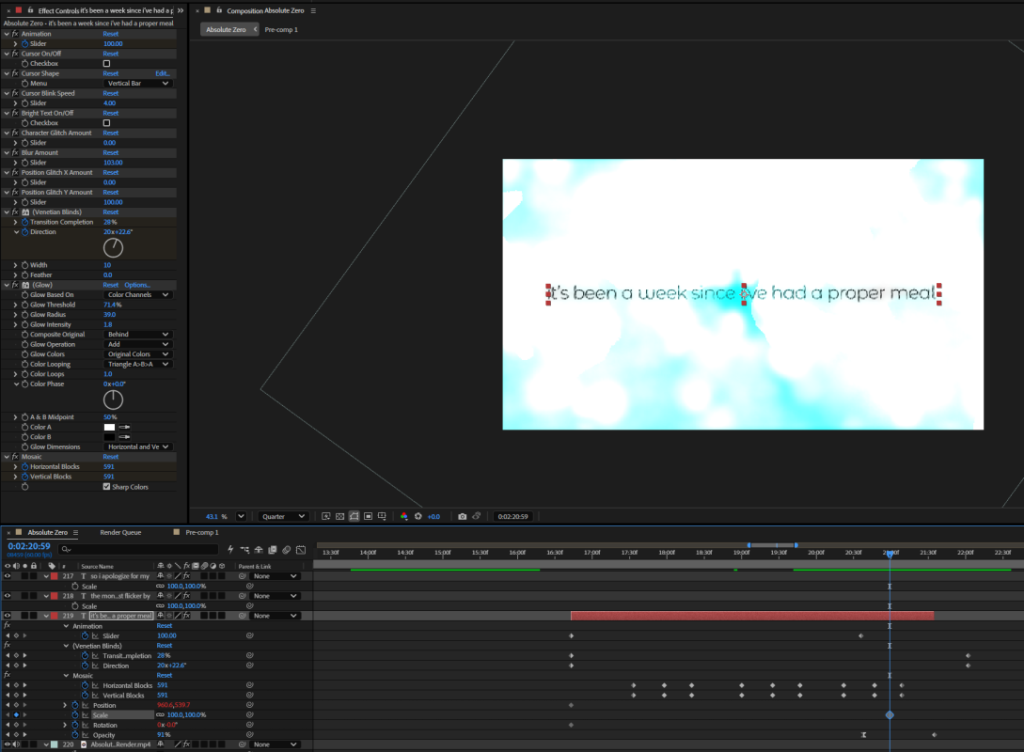
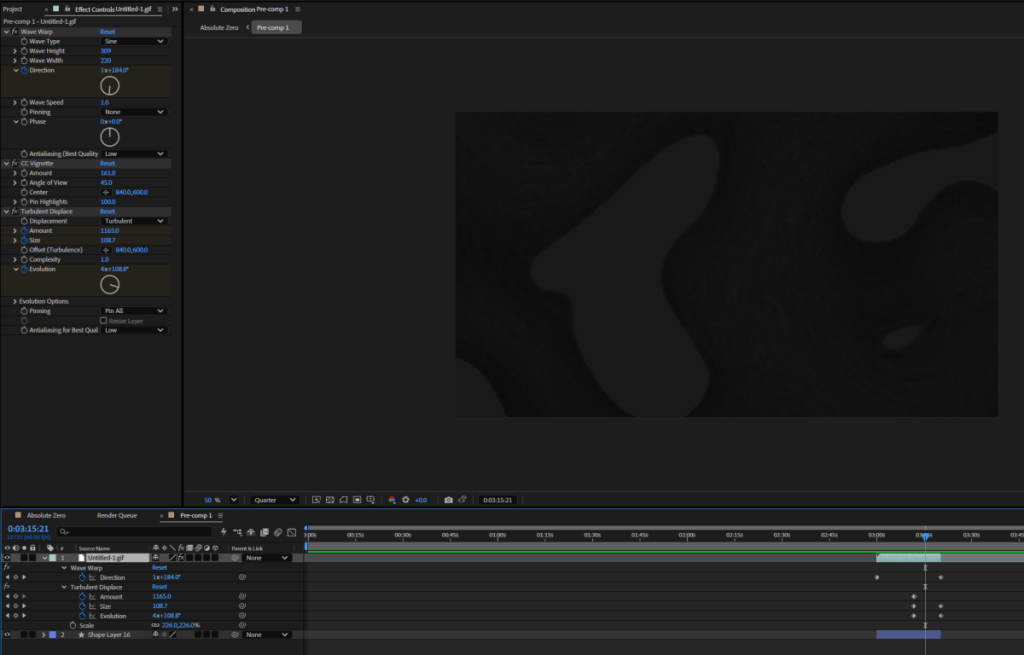


For the next two weeks I worked on this project for hours on end. Due to the nature of my approach, I was worried it wouldn’t be acceptable for an Explorations project. This thought process led me to extending the video length to be 5 minutes long. While I am proud of the project, I wish I wasn’t so hard on myself. What was originally supposed to be a sort of simple effect video was no longer simple. While it is true that my original thinking of “this will be easy, it’s just lyrics and effects” was misguided, most of the difficulty came internally.
I’m still learning how to overcome such struggles, and I have learned my lesson of staying up all night to chase perfection. I’m still learning After Effects, and most of what I have learned has been self-taught, so I know I still have much more to learn about the program and “tricks” I can do to speed things up and organize the project.
Fast forward to a few weeks later, I finally finished my project. In the end, the entire video took almost 4 hours to export, ignoring the amount of time it took to pre-render particles. Even though the project still isn’t perfect, I think it’s good enough for me to feel comfortable saying that its my own.
Final Production


Reflection
This entire process with the Exploration project was certainly a unique experience. Not only did it let me grow as a digital artist by teaching me about keyframes, expressions, and general knowledge in After Effects, but it also taught me the issues of over-perfectionism. It’s not a good idea to chase perfection, especially on such a tight deadline. While it’s a great thing to try to make one’s project good as possible, there is a point where chasing perfection can lead to overthinking what one created and changing little things that don’t matter in the long run. Throughout my time working on this, I was always worried it wasn’t “good enough” yet, causing me to keep adding more and more.
Right now, there are definitely a lot of syncing issues I can fix, but in my opinion I think that in its current state, it’s good enough.

Introduction
The poetry unit at Freestyle is the shortest unit of first Semester, which is unfortunate, because I enjoyed it a lot. The unit starts off with a Poet-in-Residence coming to class for a week to teach us all about poetry concepts and different types of poems. For example, a poetry concept we learned about were line breaks, often to give emphasis on certain phrases or to show pacing. This technique is called “enjambment”, which I use many times throughout my poems. A type of poem we learned in class is called a “Cento Poem”, which essentially a poem where all the lines and words are taken from other poems.
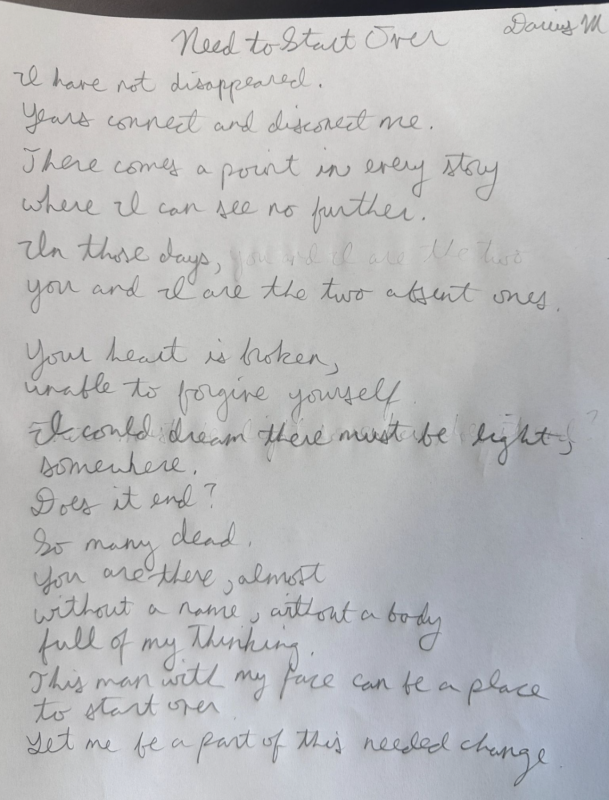
With the techniques taught during this workshop, I created these three rough poems below. (Click to expand each photo)


Poetry English Reflection
The Poetry unit is pretty short, which is a bit unfortunate because it is my second favorite unit. (My favorite unit is the Documentary unit.) I had never written a poem before, at least not one I have been proud of, so I surprised myself by managing to write three rough drafts during the workshopping week. I think my struggles went away because I didn’t have to follow random forced conventions normal schooling requires, such as making everything rhyme, forcing metaphors, etc. It’s kind of funny; poetry is supposed to be about expressing your human self, but the non-Freestyle English classes force you to follow strict conventions to make “good” poetry. Luckily, Freestyle isn’t one of those classes. I realized that creating poetry is honestly fun, as it’s a new way to express myself. I generally like poems that have a good rhythm to them and have some visual structure on the page, so that’s what I went for. My final draft for the poem was inspired by a poem I adore called “The Patient Line” by Lo Naylor. Its formatting is unique: it uses crossed-out lines to replace words with others to create an entirely new meaning. The poem also has a rhythm that makes it fun to recite, something which I tried to put in my poem. I was initially worried that my poem would sound like a rap, so I made sure the rhythm wasn’t too strict, but in general, each stanza has its own rhythmic way of saying it. To keep consistency, the rhythm in the first and third stanza group and the second and fourth stanza group are similar. Then, I changed up the feel of the fifth stanza so it wouldn’t be monotonous. On presentation day, I was a little nervous. For one, my computer ran out of battery, so I couldn’t look at my text while reading it. I walked up to the stage, steadied myself, and slowly breathed in and out. In and out. My anxiety began to melt away just a little bit, and I managed to read almost the entire poem from memory. I felt consumed in my poetry. For the first time, the fears of presenting weren’t there. Freestyle Academy has given me a unique and unforgettable experience. Even though there was some struggling, this poetry unit has taught me a unique aspect of writing that I will forever hold close to my heart.
Poetry Production

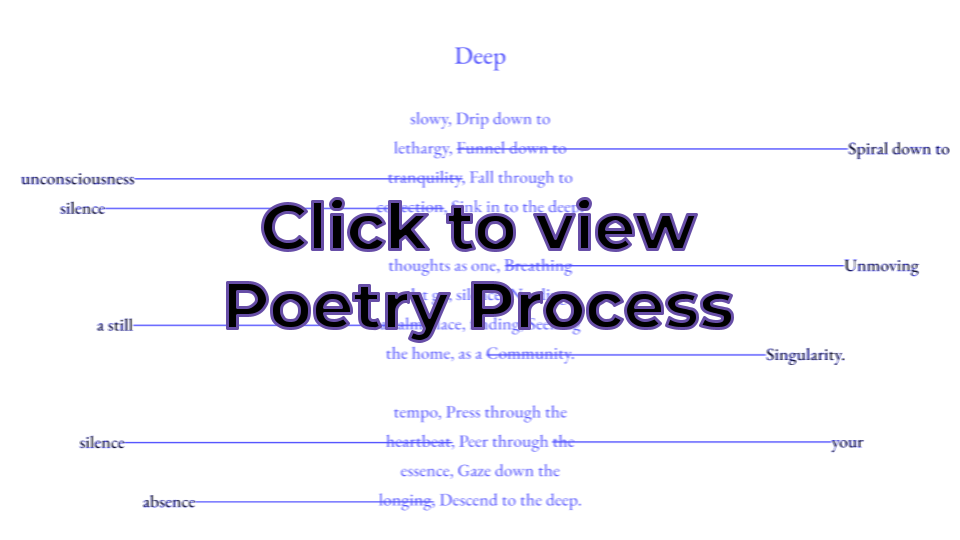
Poetry Process Reflection
For some context, when my parents were listening to me recite my poem for revisions, they mentioned how the poem invoked a feeling of horror. Even though this wasn’t my intention, I absolutely loved this interpretation, so that’s what I tried to emulate when making the poetry production. I think for a poem that has a hidden meaning about death, the horror elements tie in nicely. If I were to improve on anything, though, it would be to make the background effects better represent the poem’s words.
Some creative freedoms I incorporated into my poem production included visual effects and sound design. My approach for this horror-style poem production was to use suspenseful music with risers, as well as the “dancing dissolve” blend style to give a grainy look. From there, I applied effects such as Turbulent Warp, Noise, Vignette, Radial blur, VR Chromatic Glitch, and more, to emphasize the “horror”. I also gave some effects to the audio; in particular I duplicated the voice track, reversed it, applied a reverb, and then reversed it once more to make a “reverse reverb” to add an ominous quality. Near the end of the video, I also turned up the distortion on the background track to build intensity.
Overall, I’m proud of the output from this poetry production. It definitely isn’t perfect though; for example, the easing between transitions are sometimes off, and the text is sometimes a bit out-of-sync. Nevertheless, though, it’s good enough for me, and I could probably spend an entire month just polishing the production, but I need to take a stance and say, “Hey, this is good enough now. You can stop.” For what I have, I think it’s great.