
Introduction
The conceptual unit revolves around taking abstract ideas and expressing them through the different media provided at Freestyle. Using these different media platforms Freestyle students have created poetry, music, art, animations, films, and web productions. Resources such as DSLR Cameras, Audio Recorders, Adobe Softwares, WordPress, and Google Apps help throughout the unit. Using my abstract thinking and communication skills I created an experimental film and some poetry. I really valued the opportunity to create my first ever experimental film and enjoyed planning and shooting it.
Poetry
Photo Haiku
For our Photo Haiku assignment, I wrote a short Haiku and embellish it with a photo and video production.
ARVE error: Mode: lazyload not available (ARVE Pro not active?), switching to normal mode
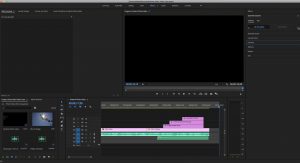
This project was my first real Freestyle project. I used Adobe Premiere and an Audio recorder for first time. I worked with the same concept statement during both classes, Digital Media and English, proving to me that two classes will in fact support each other!
Exquisite Corpse Poem
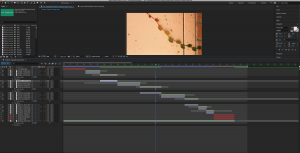
During English our class split up into groups and created an Exquisite Corpse Poem. We each contributed one line to an overall poem with only having knowledge of the line before ours. Once all the lines were contributed we read allowed the final poem. The video below displays this poem in a visual way.
More Poems
I wrote many poems during this unit including Haikus, Free-Writes, Exquisite Corpse, and Ekphrastic.
After taking a class trip to the Museum of Modern Arts, I choose a painting I enjoyed and wrote a short poem about it. Click the link to see a creative visual for the poem, an audio recording, and my intention statement behind the piece. Click here: Intention Statement!!!!
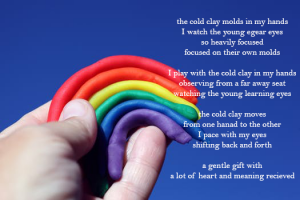
This is a free verse poem I wrote called “Cold Clay.” Be sure to listen to the audio recording below if the photo quality doesn’t fully load!
Photoshop Photos
In photoshop I created different images using blending modes to change the lighting and visually improve each photo.
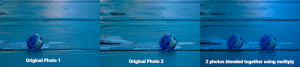
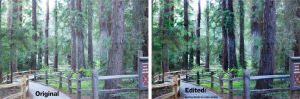
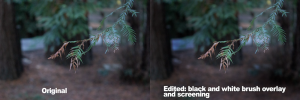
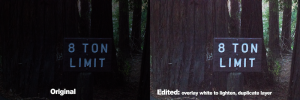
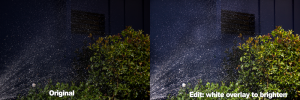
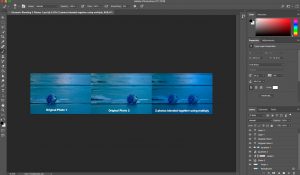
This project taught me how to use photoshop and better my skills with a DSLR camera. I value the new techniques I learned in photoshop that I will use for the rest of my Freestyle experience to enhance my photos and make them unique.
Experimental Film
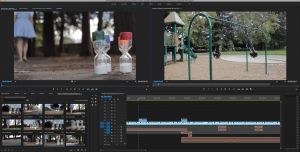
An experimental film is an abstract way of getting a main idea across without showing it directly through a story line or characters. I based this project off of the concept statement I was assigned in English: “I am exploring the feeling of impatience through the experience of watching children play.”
ARVE error: Mode: lazyload not available (ARVE Pro not active?), switching to normal mode
Reflection
Working on this project taught me many things about film. I learned how to manage my time when shooting and editing, how to efficiently use Adobe Premiere, and how to use a DSLR camera successfully. I also became familiar with effective camera angles that help move the film along and show the action in an understandable way.